Free · Midnight + Forever · No library dependencies

Your WoW interface.
One addon.

Free for Midnight and Forever. Use the full UI or turn on just the modules you want.

Free to download and use · One build for Midnight and Forever.

Stinkie mascot

Two ways to play. One familiar UI.

From the next objective
to the next win.

Use the tools that fit your game. PvP modules for competitive play, questing tools for the journey, and a shared visual style throughout.

Midnight PvP

See the team.
Read the map.

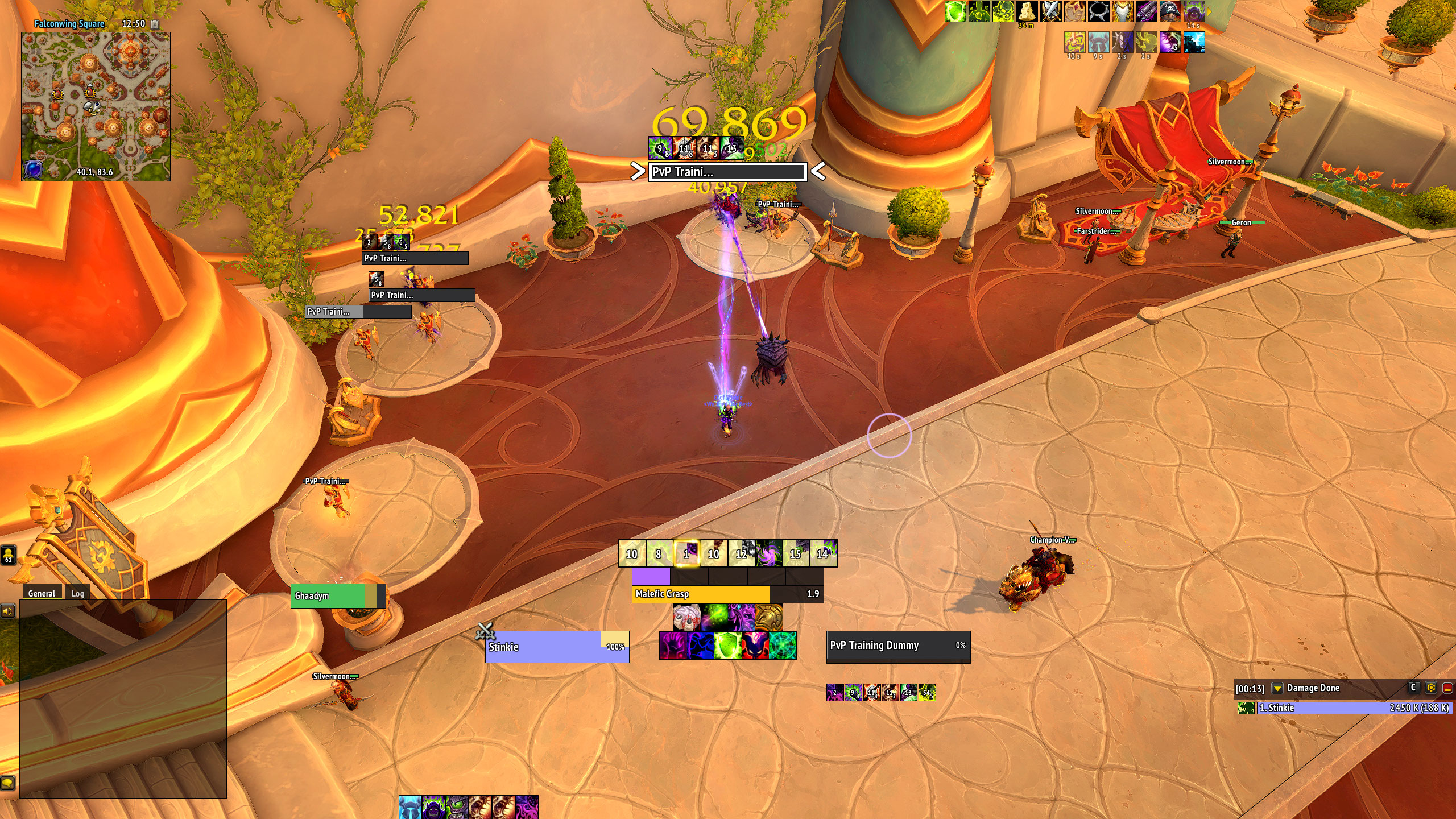
Blitz Map brings teammate names and class colors, bases, and flag and orb icons together on a map you can zoom and pan. Battleground frames keep both teams in view.

  • Arena Assist and arena, party, and battleground frames.
  • Blitz Map, battleground timers, and score displays.
  • Match history, rating trends, map breakdowns, and CSV export.

Blitz Map and battleground frames shown in preview mode.
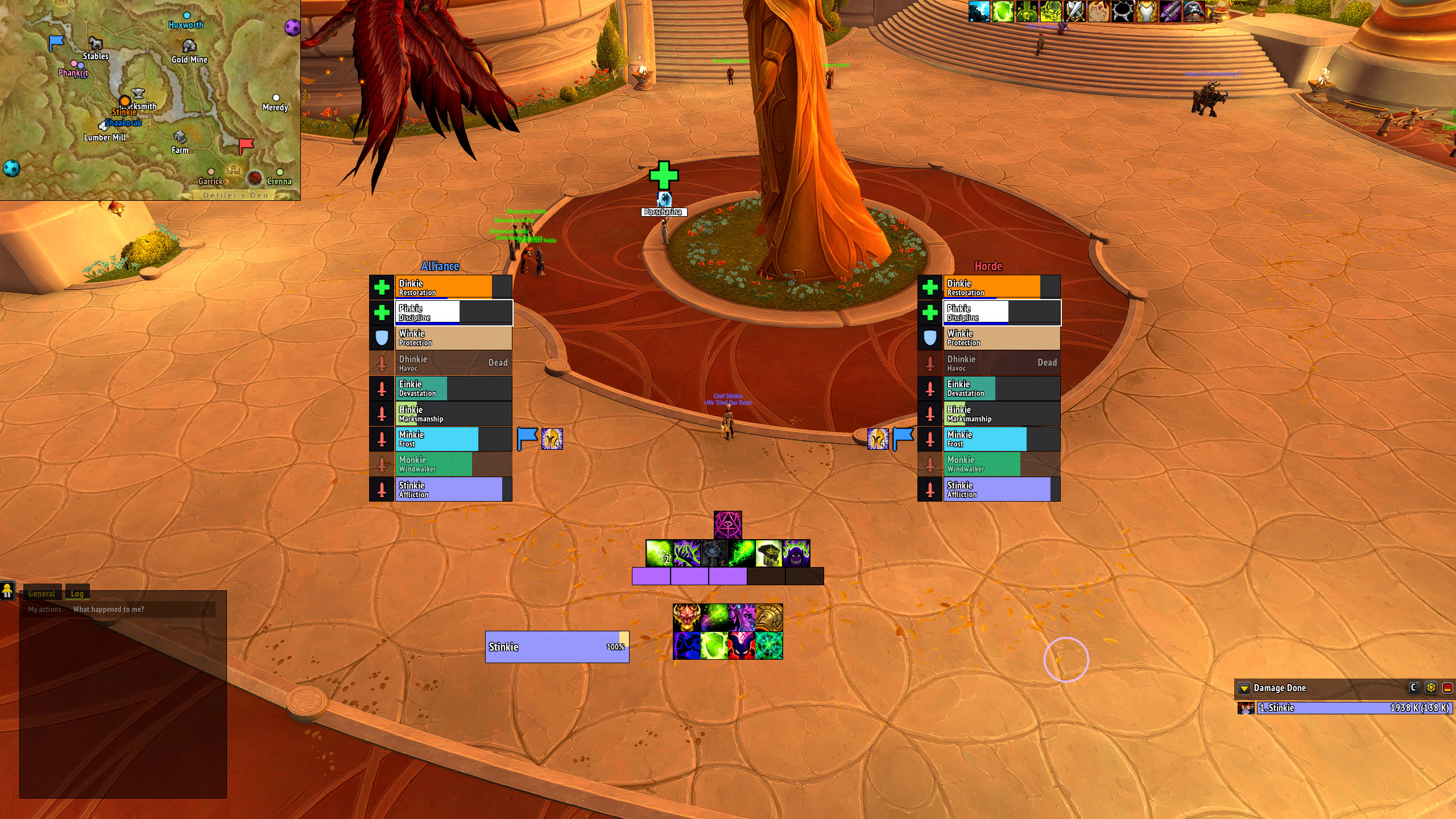
Stinkie UI Blitz Map preview with teammate names, class-colored map markers and Alliance and Horde battleground framesView full screenshot ↗

Forever & everyday play

A clearer path.
A tidier quest list.

Follow your tracked quest with an in-world marker, distance in yards, and an arrow when the destination is off screen. Group quests by zone, collapse the zones you don’t need, and choose your next objective with one click.

  • Quest difficulty colors, plus distinct campaign and repeatable quest outlines.
  • Configurable nameplates, unit frames, character sheet, chat, and minimap.
  • Forever swing-timer styling and optional quest, repair, and junk-selling conveniences.

Forever questing with grouped objectives, a tracked quest marker, and nameplates.
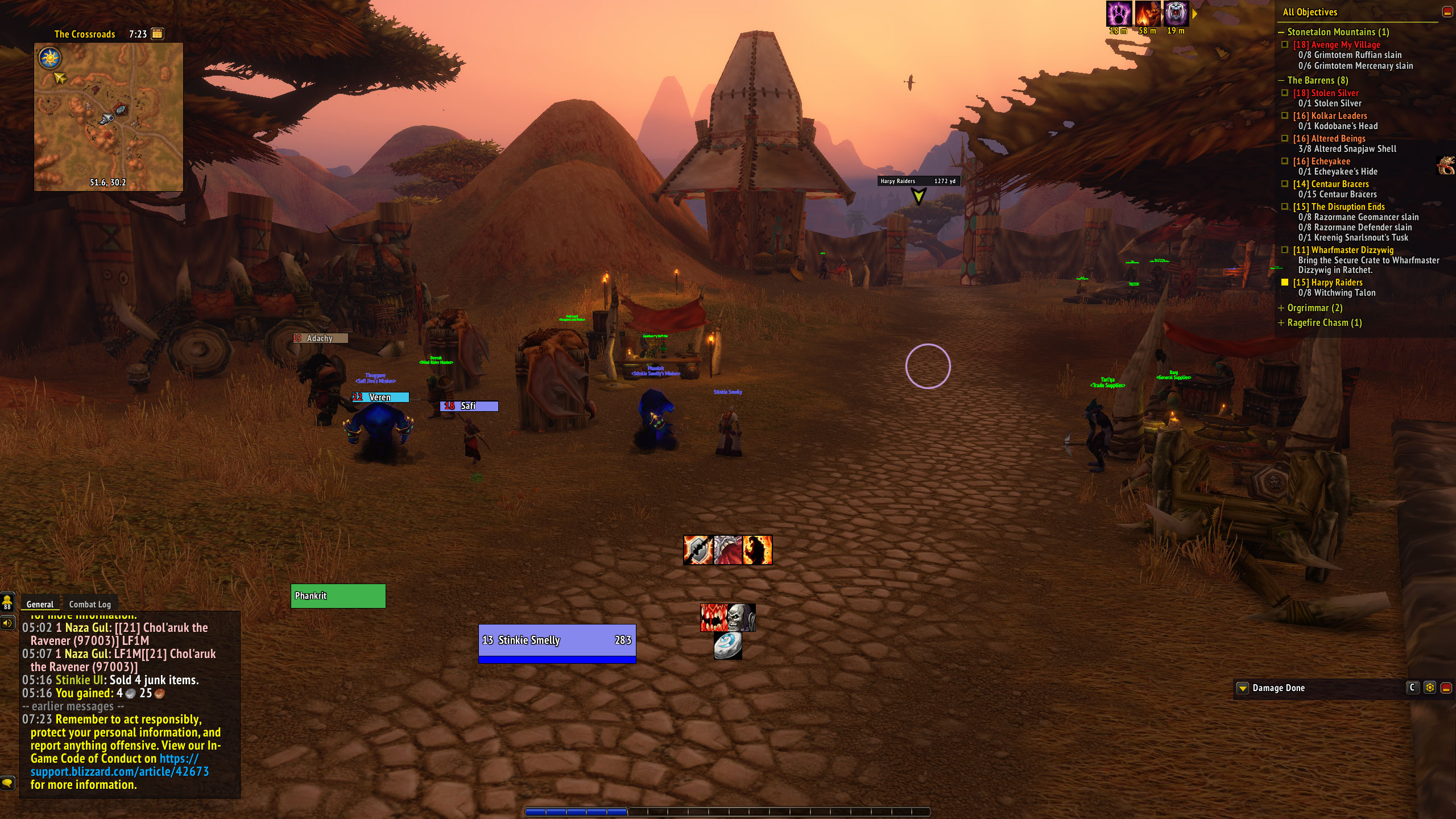
Stinkie UI in Forever at the Crossroads, showing objectives grouped by zone, a Harpy Raiders quest marker with distance, and nearby nameplatesView full screenshot ↗

Choose what loads.

Use Stinkie’s Full UI or select the modules that fit your game. Disabled modules skip initialization.

PvP tools

Keep your current layout and add Blitz Map, battleground frames, Arena Assist, or match history where supported.

Questing tools

Use Quest Marker for direction and distance, and group your objectives by zone.

A full interface

Set up nameplates, unit frames, castbars, action bars, and chat together. Add optional raid frames or utilities such as Error Catcher as needed.

Open /stinkie modules to change your selection, then choose Apply & Reload. The picker handles dependencies for you. For example, Party Targets also needs Party Frames.

Explore the interface

Make it yours.

Frames, castbars, cooldowns, character information, and your games in context.

STINKIE UI / IN-GAME SCREENSHOTS7 VIEWS

A consistent interface

Unit frames, nameplates, castbars, cooldowns, action-bar styling, chat, and minimap options.

Built to stay lightweight

No library dependencies. The Match History window loads only when you open it.

Your games, in context

Match history, rating trends, and stats help you look back between queues.

Get set up

Install.
Arrange.
Queue.

Start with the full UI or choose your modules, then make the layout yours. No separate library addons required.

All releases & changelogs
  1. Download Stinkie UI.

    Find Stinkie UI by SmellyStinkie in CurseForge, or download the ZIP from the project page. Choose the game installation you play—Midnight or Forever—and select a compatible file. Stinkie UI works with both Midnight and Forever.

    Installing manually? Place the StinkieUI folder inside your game's Interface/AddOns/ folder. The .toc file should be directly inside StinkieUI.

  2. Choose your modules.

    Enable the addon on the character-selection screen and enter the game. In the setup screen, choose Stinkie’s Full UI or pick modules individually. Use Apply & Reload after changing your selection. Open the module picker any time with /stinkie modules, or open the main options with:

    /stinkie
  3. Arrange your frames.

    Unlock the layout to move frames. Use the built-in test modes to see party, arena, and battleground elements outside a match.

    /stinkie unlock
  4. Lock it in.

    Save your positions before you queue. Profiles can be copied between characters or exported from the options window.

    /stinkie lock
Missing art or fonts after an update? Fully exit and restart WoW. New art and font files may not load with /reload alone.

A few useful answers

Before you get started.

Is this only for Warlocks?

No. Stinkie UI is a general WoW interface addon with PvP and questing tools, rather than a Warlock-only setup. Available resource displays and class-specific elements vary; check the project page for current support.

Can I keep my current UI?

Yes. Enable only what you want in /stinkie modules, then choose Apply & Reload. Some overlapping features automatically turn off when another addon handles them—for example, arena frames with sArena or Gladius, and action-bar styling with Bartender, Dominos, or ElvUI. Start with a simple setup and check for overlapping frames before your first match.

Why is some enemy information missing?

WoW restricts what addons can access in PvP. Information such as enemy health outside your view and teammates' cooldowns may be unavailable. See the project description for the current limitations.

Does it work on Midnight and Forever?

Yes. Stinkie UI works with both Midnight and Forever, with features tailored to make leveling in Forever more useful and convenient. Install it in the game client you use, then open /stinkie to configure your layout. Features depend on the modes and addon information available in that client: Arena, Solo Shuffle, Blitz, and rated tracking apply where those modes exist. If you run into a Forever issue, post in #stinkie-ui on Discord with your client and addon version.

Where can I report a bug or ask for help?

Join the Stinkie Discord and post in #stinkie-ui. Include your game client, addon version, what happened, and a screenshot or error message if available.

Is it free? Where is the source?

Yes. Stinkie UI is free and published under the MIT license. The source is available on GitHub.

Your WoW interface. One free addon.

Download it, make the layout yours, and get back to the game.

Get Stinkie UI free